Map the Wi-Fi dead zone before buying another router
Compare the same device in several rooms to find where the connection actually breaks down.

When a video call drops in the back room, the internet plan gets blamed first. Establish a baseline near the router using the same laptop, the same service and the same time of day. Then repeat at the places where the connection matters. Write down whether the device disconnects, suffers long pauses or simply downloads more slowly. The route through the building may explain why two rooms the same distance from the router behave differently.
Collapse the test to one variable
Pause known large downloads or ask the household to keep its usual traffic steady for five minutes. Use the same laptop orientation in each location. If possible, run an additional test through a wired connection. A slow wired and wireless result shifts attention toward the internet connection or the service being tested. A good wired result together with a poor wireless result narrows the search to the local radio path or client.
Move the source before extending it
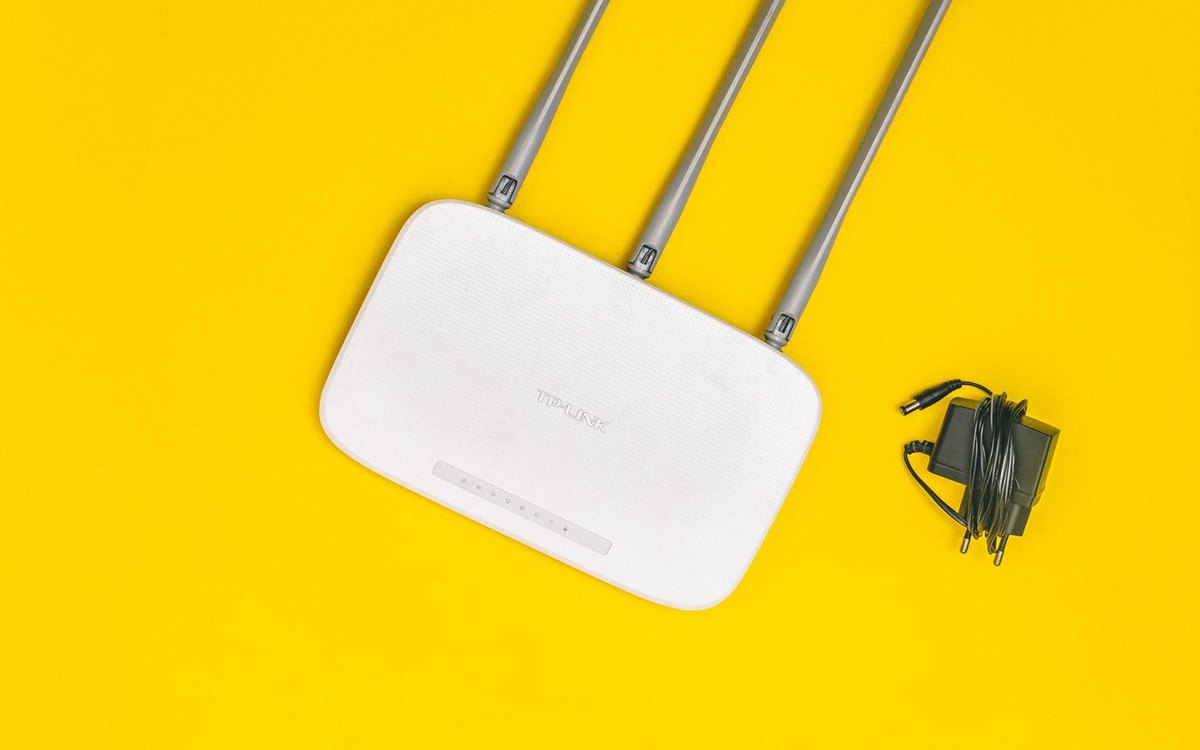
Raise the router and give it open space rather than leaving it behind a cabinet or against a large metal object. Move it a small distance and retest before committing to a permanent position. An extension node needs a useful connection back to the main router, so placing it in the dead zone rarely cures the problem. If a modest move provides a reliable signal in the rooms you use, the cheapest part of the fix is the household map you just made.
Pick the moment you want the network to survive
One household wants a stable desk for calls, another wants a television that streams in the evening, and a third needs a phone to stay connected as someone walks upstairs. Those are three different tests. A television stays in one place and can often play through a brief dip using its buffer. A call has less time to absorb late packets. A moving phone may need to leave one access point and join another. Write the task down before opening a speed test. The observation that matters is whether the task survives in the place and at the time you expect to use it.
Use the device that has the trouble. A new phone can perform well at the same desk where an older, stationary computer struggles. Differences in supported bands, antenna placement, drivers and the position of a laptop lid can affect what each device receives. Once you have one result, try a second device in the same place. Failure from both suggests a shared condition worth investigating. Failure from one device gives you a reason to check that device’s placement, software and normal connection settings before rearranging the rest of the household.
Sketch a route through the building
On a piece of paper, put a dot where the router sits and another at each place the problem matters. Draw the walls and floor crossings between them. Mark fixed obstructions you can see, including a refrigerator, metal shelving, a tiled bathroom and bookshelves flush against a wall. For a first pass, dimensions from a tape measure offer little advantage over a quick sketch. Two equal distances on paper can pass through very different materials. A walk through an open doorway or down a stairwell can have a better result than a shorter path through a dense partition.
Run a short repeatable test at the router, halfway to the troublesome point and at the point itself. Note the room, approximate time, the device and the band or connected mesh node if the status screen shows it. Add one plain description of the result. “Voice stops for about three seconds near the door” is a report another person can try to reproduce. “Internet is bad upstairs” leaves too many questions open. Include a result from a room where everything works so you can see which parts of the plan are already doing their job.
Read the numbers with the limits in view
The bars on a phone are a rough indication of the device’s current wireless link. They are easy to note and useful for comparing changes on the same device. They cannot show how the access point reaches the internet, how many nearby radios compete for airtime, or whether a call provider is having trouble. An internet speed test does include the path outside the house. Use the same test service, and, if it allows a server choice, keep the same server. Record both upload and download. A huge download result can coexist with a short pause that makes a voice sound broken.
If the meeting or game supplies connection statistics, compare one calm interval with one interval that feels wrong. A broad average can hide a short burst of late or lost traffic. Repeat at a second time of day before turning a single measurement into a rule. Evening congestion may overlap a backup from your own computer, neighborhood radio activity or a busy internet service. Ask who was using the connection at that time and whether the problem also occurs with a cable to the router. That second observation helps determine which of those paths deserves attention.
Try a single temporary change at a time
For a router connected to the provider equipment by Ethernet, check whether a longer cable allows a temporary test on an open shelf. Keep it within the manufacturer’s placement instructions and out of walkways. Hold the target device still while moving the router. Try a position near the opening where the signal needs to travel, then repeat the same check in the busiest room so you catch any coverage you traded away. If changing the router’s position is impractical, move the receiving device temporarily. An antenna that sat behind a metal computer case may behave differently in the space where the desk is actually used.
Adjusting radio settings can give you another controlled test, especially in a crowded building. The 2.4 GHz band may travel farther in a particular home, while a higher band may offer more usable capacity close to the router. Availability and device support vary. Begin with the router manufacturer’s recommendations. Apple’s network setup documentation, for example, describes why a narrower channel is usually more appropriate at 2.4 GHz and recommends a consistent setup across access points. Record the original settings or save a backup first. Then make one change, test the same rooms and restore the original value if several devices lose a stable connection.
Decide which end of the link needs new equipment
When cable tests are consistently poor and the same problem appears next to the router, gather the times and symptoms before calling the provider. Have the account holder ask whether the provider sees an outage or service fault, and follow its documented process for the supplied equipment. A faster wireless access point still depends on that internet connection for a video call. If the cable works and only one desk needs help, a direct Ethernet connection may cost less and give you a more consistent result than distributing new radios throughout the apartment. Plan the cable route before buying anything, especially across doors and shared passageways.
If several rooms need wireless coverage, test an access point with a wired path where you can provide one. In a rental or a home where cables cannot reach, a mesh kit can be a sensible option when there is a good place for the units to talk to each other. The signal received by your phone in the final room is just one leg of the journey. Walk back toward the main router with your sketch and test where a node could sit with a stable upstream link and useful reach toward the room. Give any new equipment a full normal evening of use before considering the job finished.
Check motion, sleep and the rest of the household
A successful download in one corner is worth keeping as a baseline. Follow it with the activity that originally failed. A shared workspace may be fine when a laptop first joins the network and unreliable after the laptop wakes from sleep. Set up a call with a willing participant, close the lid or let the laptop sleep, then reopen it and join using the usual routine. If the issue appears on the walk between rooms, ask the participant to say when speech cuts off and mark the two points where it starts and returns. A plan that depends on smooth handoffs should survive that walk more than once.
Test a few fixed devices too. Moving the router to improve an upstairs laptop can leave a printer, thermostat or streaming box at the other end of a weaker path. Give those devices an ordinary job in their usual places. If the household uses multiple mesh units and the system shows where devices are connected, record the node for one successful test and one affected test. Recheck the map after a week. Big changes such as a new cabinet, a different desk or rearranged equipment can make that map more useful than the original router packaging.
Keep a result someone else can use
The record can fit on one page. A sample might read: the router was behind the television, the back bedroom lost audio during evening calls, wired service stayed steady, and moving the router to a hall shelf kept the same call running for twenty minutes. Include a date and the one change that worked. If there was no improvement, record that too. The next person can start with evidence about the provider line, the radios and the receiving device. That is a better basis for choosing new hardware, or for leaving a working network alone, than the highest number a speed test managed to show.